Professional Invoice Generator & Template
Professional Invoice Generator & Template
Free Small Business Invoice Generator: Streamline Your Billing Process
Invoicing is the lifeblood of business operations. Regardless of whether you operate as a freelance consultant, a digital marketing agency, or a regional B2B service provider, delivering clear, accurate, and professional invoices directly determines how quickly you get paid. Delayed payments and billing errors disrupt corporate cash flow, damage client relationships, and create unnecessary administrative overhead.
Using our free online
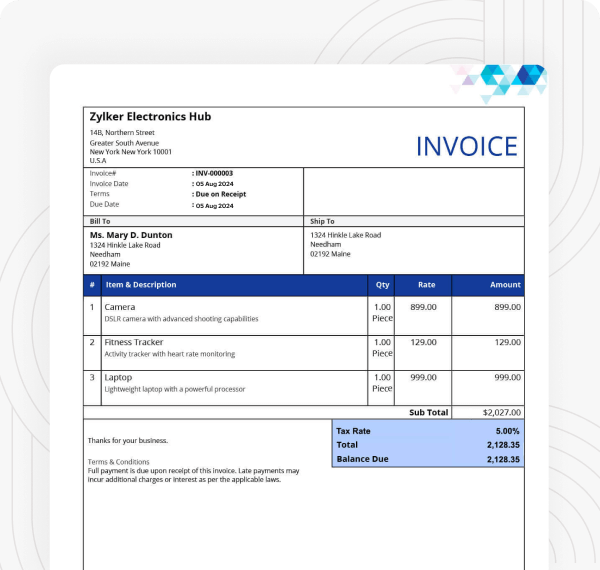
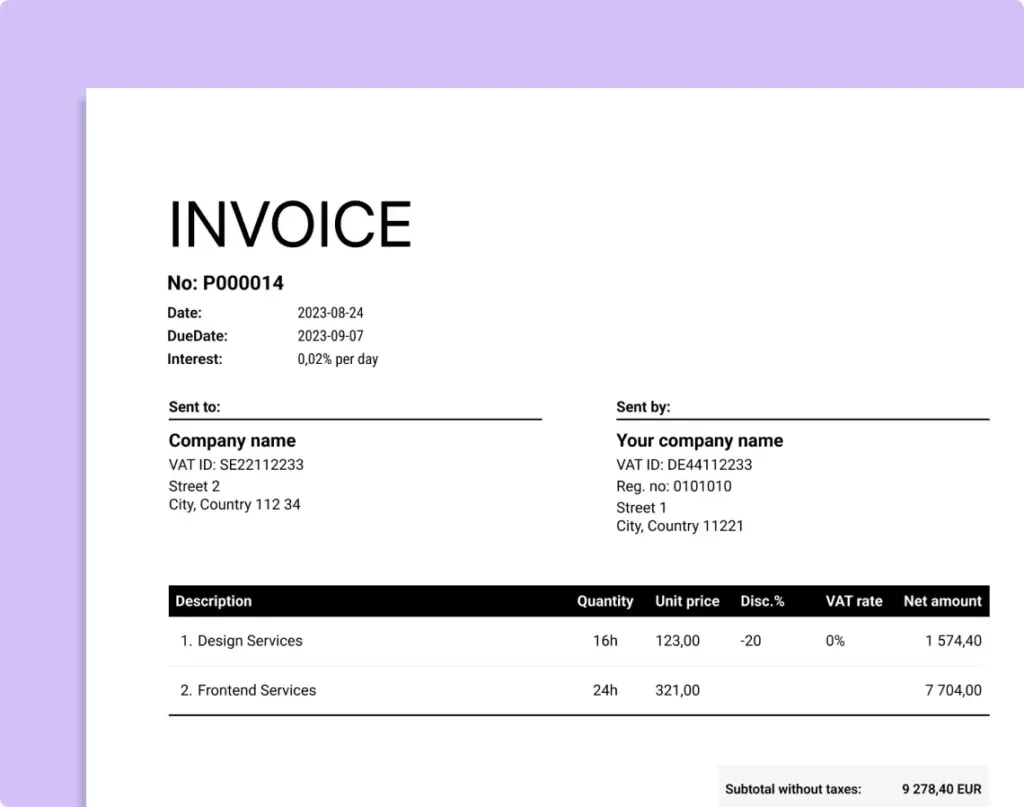
Anatomy of an Audit-Proof Business Invoice
A legally compliant, audit-proof invoice must contain specific identification details to protect both the service provider and the client during tax reporting. Missing information can delay payment approval from corporate accounts payable departments.
Every professional invoice must include the following core elements:
Header & Business Information: Your legal entity name, corporate address, business email, phone number, and tax identification number (EIN, VAT, or CNPJ).
Client Billing Details: The recipient's company name, point-of-contact name, physical address, and accounts payable email address.
Unique Invoice Number: A sequential identification code (e.g.,
INV-2026-001) to track receivables in your ledger.Dates: Explicit issuance date and strict payment due date (e.g., Net 15, Net 30).
Itemized Description of Services: Detailed line items breaking down labor hours, unit quantities, unit prices, and subtotal figures.
Tax & Discount Breakdown: Clear listing of applicable sales tax, VAT, or promotional discounts applied before the final total due.
Payment Instructions: Specific wire transfer details, ACH routing numbers, credit card payment links, or digital wallet addresses.
Understanding Invoicing Payment Terms (Net 15, 30, 60)
Selecting the right payment terms balances client flexibility with your operational working capital needs. According to billing benchmark reports from the
Due Upon Receipt: Payment is expected immediately upon delivery of the invoice. Ideal for small-ticket freelance projects and digital assets.
Net 15: Payment is due 15 calendar days from the invoice date. Highly recommended for recurring monthly retainers.
Net 30: Standard commercial term allowing 30 calendar days for payment. Widely accepted across corporate supply chains.
2/10 Net 30: A promotional structure offering a 2% cash discount if the client pays within 10 days; otherwise, the full balance is due in 30 days.
Key Comparison of Invoicing Channels
| Method | Invoice Creation Speed | Payment Collection Speed | Processing Cost | Professional Appearance |
| Essentia Online Generator | Instant (<1 min) | Fast (Link Integrated) | Free | High (Professional PDF) |
| Word/Excel Templates | Slow (Manual entry) | Moderate | Free | Medium (Formatting errors) |
| Enterprise ERP Systems | Automated | Fast | High Monthly Fee | High |
Best Practices to Get Invoices Paid 50% Faster
To minimize overdue invoices and streamline accounts receivable:
Automate Invoice Delivery: Send digital PDF invoices immediately upon project sign-off while the work is fresh in the client's mind.
Include Direct Digital Payment Links: Embed direct Stripe, PayPal, or Wise payment links inside the electronic invoice so clients can pay via credit card or bank transfer with a single click.
Establish Clear Late Fee Clauses: State explicit late penalty terms in your initial contract (e.g., "1.5% monthly finance charge on overdue balances after 30 days").
Send Automated Payment Reminders: Schedule courteous follow-up emails 3 days before the due date, on the due date, and 7 days past due.
Sponsored — Affiliate
Amazon Business & Tech Offers

Blink Video Doorbell + Outdoor 4 – Wireless Doorbell
$103.99

Starface Hydro-Star® Recovery Hydrocolloid Star-Shaped
$25.99

Estée Lauder Little Black Primer™ Tint. Amplify. Set.
$30.00

Dell XPS 13 OLED Review (2026): Is It the Ultimate Business Laptop for Executives?
$0.00

Apple AirTag (2nd Generation) - 4 Pack: Tracker for
$89.99

Amazon Fire TV Stick 4K Max with Alexa Voice Remote Pro
$84.98
Prices and availability are accurate as of publication. We may earn a commission at no extra cost to you.
Share this article
Help others find it — share on your favorite network.
Comments & Reader Rating